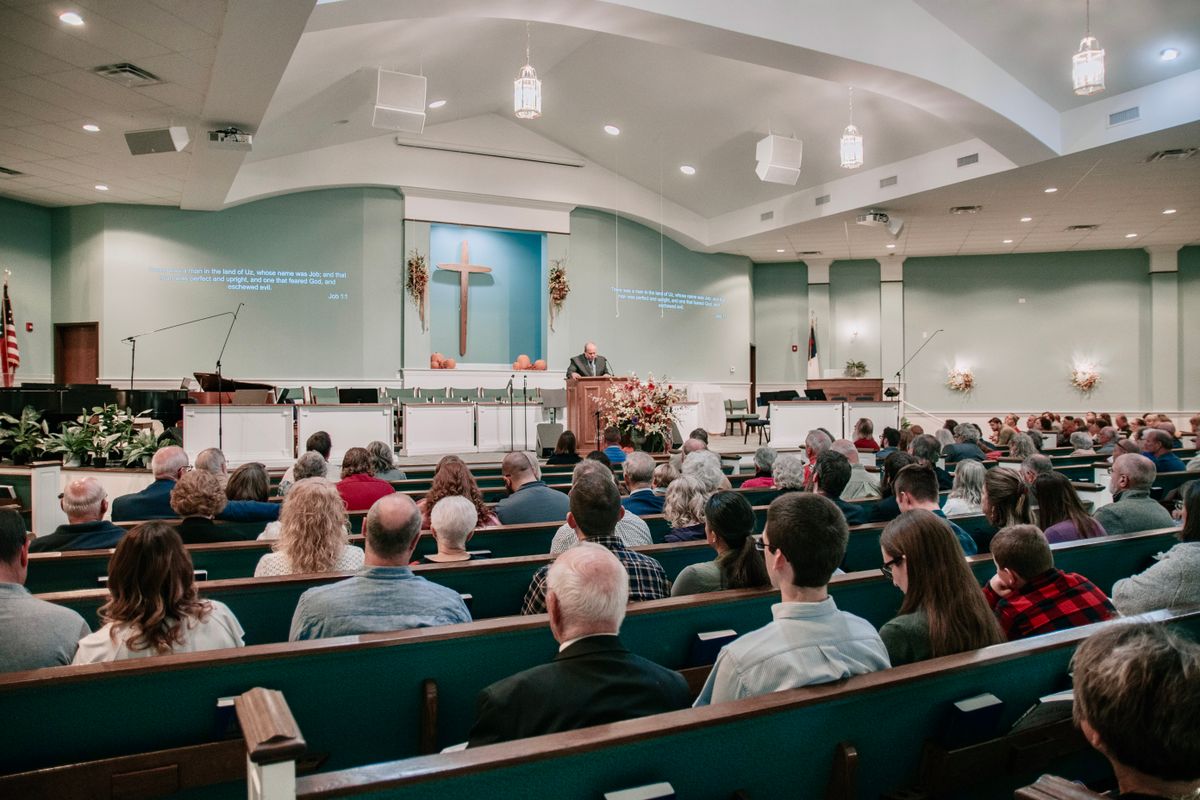
Digital Signage for Churches: A Modern Communication Guide
Learn how digital signage for churches welcomes guests, supports worship, and unifies multi-campus communication across every weekend.
Sunday morning at church is a coordination challenge most outsiders never see. A small team of staff and volunteers has 90 minutes to welcome first-time guests, point families to children’s ministry, share announcements, run worship lyrics, and prep the room for the next service. Add a second campus — or a Wednesday-night program, a missions Sunday, and a holiday outreach — and the communication load multiplies fast. This is exactly where modern digital signage for churches earns its keep.
Whether your church serves 150 people in one building or 5,000 across multiple campuses, screens have quietly replaced the bulletin board, the posterboard easel, and the printed insert. Done well, church digital signage creates a more welcoming experience for guests, a more focused environment for the congregation, and a much lighter workload for the volunteer team that keeps everything running.
Why Churches Are Replacing Static Signage and Printed Bulletins
Most churches start with the basics: a marquee out front, a vinyl banner over the welcome desk, paper bulletins handed out at the door. Those tools still have their place, but they share a few weaknesses that get worse the larger a church grows.
- Updates take days, not minutes. Printed bulletins get designed Wednesday, printed Thursday, and folded Friday. If the speaker changes or a small group fills up, the printed copy is already wrong.
- Multi-campus consistency is brutal. A campus pastor in one city has different posters than the campus across town. Visitors who attend more than one location notice the disconnect immediately.
- Volunteer time is precious. Every minute spent printing inserts, taping flyers, or rotating posterboards is a minute the team is not investing in hospitality, kids’ ministry, or worship prep.
- Younger guests expect digital. First-time visitors under 40 walk in expecting the same crisp, current visuals they see at the gym, the coffee shop, and their workplace lobby.
Cloud-based digital signage solves all four. A pastor or comms director can update every screen at every campus from a laptop, schedule sermon series graphics weeks ahead, and trust that what shows up Sunday morning is what was approved on Thursday.
The Highest-Impact Use Cases for Church Digital Signage
1. Welcome Screens for First-Time Guests
The lobby screen near the front door is the single most valuable display in the building. A warm welcome graphic, the morning’s service order, the kids’ check-in location, and the WiFi password do more for guest hospitality than three printed signs combined. Greeters can point at the screen instead of fumbling for a flyer, and the message stays consistent week after week.
2. Service Times, Sermon Series, and Worship Announcements
Lobbies, hallways, and atrium spaces are perfect for rotating service times, the current sermon series, upcoming guest speakers, and worship night announcements. truDigital’s library of 500+ pre-built templates and apps includes countdown timers, scripture-of-the-week cards, and event flyers that look professionally designed without needing a graphic designer on staff.
3. Children’s and Student Ministry Wayfinding
Larger churches with multi-room kids’ ministries benefit enormously from screens that show check-in locations, classroom assignments by age, and special weekend events. Parents who are first-time visitors can self-serve directions instead of waiting at a packed welcome desk — which is a meaningful win during peak Easter or Christmas attendance spikes.
4. Volunteer and Staff Communications
Behind-the-scenes screens in green rooms, kitchens, and ministry hallways keep volunteers aligned. Show this week’s service order, recognize a long-tenured greeter, broadcast a thank-you from the lead pastor, or post the next training date. With multi-location management, corporate (or in this case, central campus) owns the master content while each campus can post location-specific updates.
5. Donation, Giving, and Missions Updates
QR-code giving graphics, capital-campaign progress thermometers, and mission-trip recaps are all natural fits for digital signage. Rotating these between sermon graphics keeps the conversation about generosity alive without turning every announcement into a fundraising pitch.
6. Live Lyrics, Scripture, and Sermon Notes (When Tied to Worship Tech)
While dedicated worship-projection software typically handles in-service lyrics and scripture passages, digital signage in lobbies and overflow rooms can mirror or summarize that content for late arrivals, nursing parents, and guests who prefer a quieter space.
What Multi-Campus Churches Need from a Signage Platform
Most growing churches are no longer running one screen at one campus. They are running dozens of screens across two to ten locations, plus event spaces, school facilities, and family life centers. When evaluating multi-campus signage platforms, the must-haves are:
- Cloud-based CMS. Updates push from any browser, anywhere. No on-site server. No USB sticks.
- Central plus campus-level control. Central comms owns brand templates, sermon series graphics, and capital-campaign content. Each campus retains control over its own greeter shoutouts, kids’ ministry callouts, and local events.
- Permission roles. A campus admin should not be able to overwrite a senior-pastor-approved sermon graphic by accident.
- Day-part scheduling. Sunday morning content rotates automatically to mid-week content for Wednesday programs, kids’ events, and weekday counseling appointments.
- Reliable, US-based support. When a screen goes black at 8:15 a.m. on Easter Sunday, the comms team needs a real human on the phone, not an offshore ticket queue. truDigital includes unlimited US-based support on every plan for exactly this reason.
Our features overview walks through how multi-site organizations structure their content governance and rollouts inside the truDigital platform.
A Practical Rollout Playbook for Church Comms Teams
Most churches have one comms director and a small team of volunteers. The rollout strategy that consistently works is small, phased, and anchored to a real Sunday deadline.
- Audit current signage. Walk every campus with a phone camera. Photograph every printed sign, banner, easel, and flyer. List who maintains it and how often it changes. The audit alone often justifies the project.
- Pick a pilot campus. Start at the campus with the most engaged comms volunteer or staff. Two to three screens is enough — lobby, kids’ check-in hallway, and a back-of-house volunteer area.
- Standardize templates first. Lock in a welcome-screen layout, an announcement-card layout, and a sermon-series layout. These three templates will carry 80 percent of weekly content.
- Document a content cadence. Decide who updates what, on which day. A typical rhythm: announcement cards refreshed Thursday, sermon series swapped on series-launch Sunday, welcome graphics reviewed monthly.
- Roll out campus-by-campus. A church with five campuses can comfortably complete a full rollout in 8 to 12 weeks once the pilot template library is approved.
- Measure what matters. Front-desk question volume, guest connect-card returns, and kids’ ministry check-in time are all reasonable indicators that signage is doing its job.
Why Churches Choose truDigital
truDigital partners with churches and other faith-based organizations across the United States, including congregations like Campbell Church of Christ. The platform was built with multi-location operators in mind, which maps almost perfectly onto the multi-campus realities of modern church life.
- A cloud-based CMS that updates every screen in seconds — from the comms director’s laptop or a campus pastor’s phone.
- 500+ professionally designed templates and apps for welcome graphics, sermon series, scripture cards, countdowns, and announcements.
- Multi-location management with role-based permissions and day-part scheduling.
- Hardware-agnostic media players that work with displays your church already owns.
- Unlimited US-based support — the kind of support that picks up the phone when your screens go black 12 minutes before service.
For more on how non-profits and mission-driven organizations approach digital signage, our blog archive includes implementation stories from churches, ministries, and other community-focused operators.
Getting Started Without Overcommitting Your Budget
If your church has been weighing digital signage for a year or two but worried about the budget, the honest answer is that the entry point is far lower than most comms directors expect. A single-campus pilot with two or three screens is well within reach for most mid-sized churches, and the per-month cost is typically less than a single quarterly print run of bulletins, banners, and flyers.
The bigger payoff is volunteer time and guest experience. Every Sunday a printed sign goes out of date, a volunteer scrambles to fix it, and a first-time guest walks past with the wrong information. Cloud-based church communications platforms remove that drag from the entire weekend.
Ready to See Church Digital Signage in Action?
If your church is overdue for an upgrade — or planning a second campus and trying to get the comms strategy right from day one — the fastest path forward is a live walkthrough. We will show you how other churches are structuring their multi-campus content, what their lobby and hallway screens actually look like on Sunday morning, and what a realistic rollout looks like for a church your size.
Request a free truDigital demo → and see how churches across the country are welcoming guests, supporting worship, and unifying multi-campus communications with a single, simple platform.
See it in Action
Get a free, no-pressure demo of our unique platform and find out how it can transform your business.