Healthcare Franchise Digital Signage: A Budget Guide
Launching healthcare franchise digital signage on a budget? Learn what to buy, what it really costs, and how to roll out screens in your first clinic.
You bought into a healthcare franchise because the model works: a recognizable brand, proven operating playbooks, and a patient base that already trusts the name on the door. Then you walk into a peer's clinic across town and notice the waiting room screen rotating wellness tips, new-patient offers, and a "we're running 10 minutes behind" notice. Your own lobby has a corkboard and a stack of brochures nobody touches.
If you are a franchise operator considering screens for the first time, the hard part is not deciding whether healthcare franchise digital signage is useful. It is figuring out what it actually costs, what you need on day one, and how to avoid buying something that breaks brand standards or turns into a weekend IT project. This guide is written for budget-conscious first-time buyers who want a clear, low-risk path from zero screens to a waiting room that works as hard as the front desk.
Why Healthcare Franchise Digital Signage Pays Off for New Buyers
Whether you run a chiropractic clinic, a physical therapy location, an urgent care, a dental office, or an optometry practice under a franchise banner, your waiting room has the same problem: patients sit for several minutes with nothing useful to look at. That dead time is one of the few moments every patient is a captive, attentive audience.
A single well-placed display turns that time into something productive:
- Service awareness. Most patients only know about the service they booked. A rotating slide on massage add-ons, orthotics, whitening, or wellness plans plants the idea before they reach the treatment room.
- Fewer front-desk questions. Hours, insurance accepted, how to download the patient app, and how to leave a review can all live on screen instead of being repeated at the counter all day.
- Brand consistency. Franchisors care deeply about how the brand shows up locally. Approved templates on a screen look far more polished than a taped-up flyer.
- A calmer wait. Wait-time notices, educational content, and local community updates make delays feel shorter and more transparent.
Healthcare organizations of all sizes already rely on screens for this. truDigital customers in the health space range from independent practices to organizations like Versiti, which chose truDigital to keep donor- and patient-facing messaging current. The same approach scales down neatly to a single franchise clinic.
What a First Clinic Setup Actually Costs
The biggest worry for first-time buyers is a surprise bill. The good news is that a modern cloud-based setup has only three cost buckets, and all of them are predictable.
1. The screen
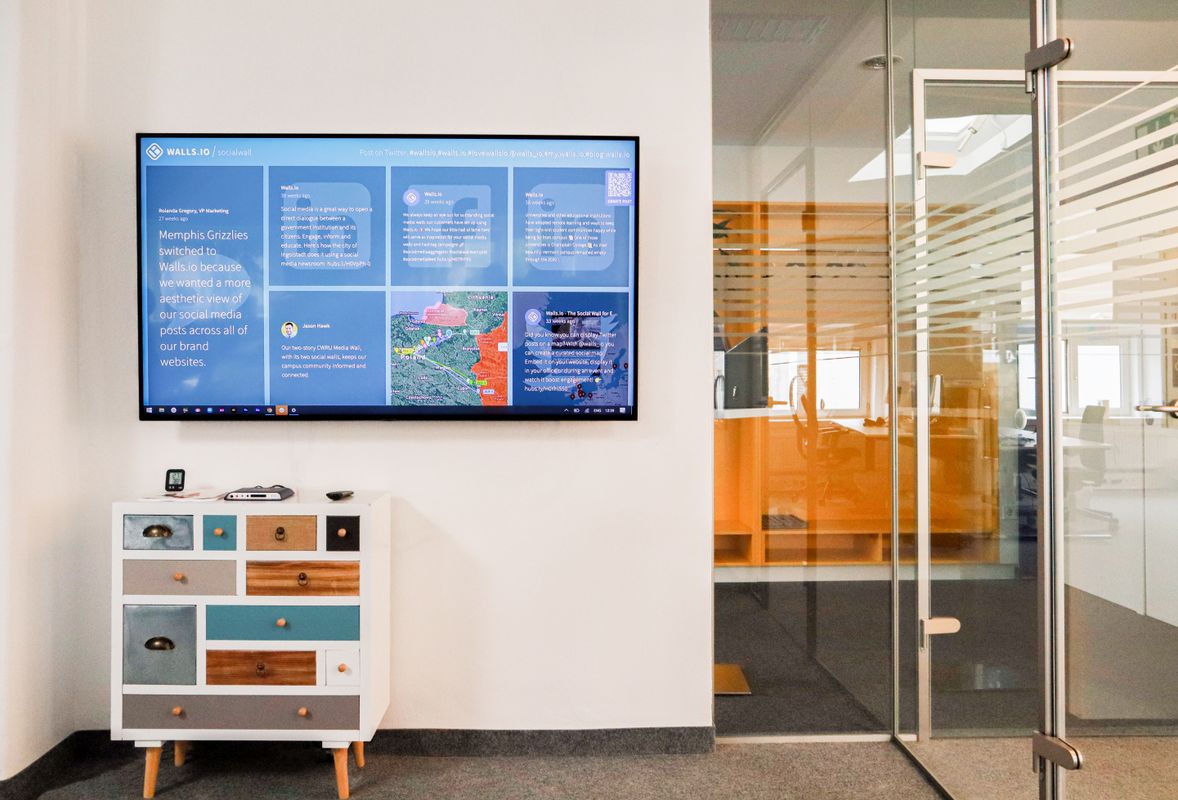
For most waiting rooms, a 43-inch to 55-inch commercial or quality consumer display is plenty. Mount it where patients naturally look: across from the seating area or behind the check-in desk at eye level. You do not need a video wall to make an impact.
2. The media player
The player is the small device that connects your screen to the internet and pulls down your content. Choose hardware that is officially supported by your software so updates and troubleshooting stay simple. You can review compatible options on truDigital's supported hardware page.
3. The software subscription
This is where your content lives. A cloud subscription is usually billed per screen, which keeps the starting cost low and lets you add displays only when you are ready. Look for transparent, per-display pricing with no setup surprises. truDigital publishes its plans on the pricing page so you can budget before you ever take a sales call.
Budget tip: Start with one screen in the waiting area. Measure what changes over 60 to 90 days, such as add-on service bookings, review volume, or fewer repetitive front-desk questions, before you add a second display in a hallway or treatment area.
Must-Have Features for Healthcare Franchise Operators
When you compare digital signage software, it is easy to get distracted by flashy demos. For a franchise clinic on a budget, these are the features that actually matter.
Cloud-based content management
You should be able to update your screen from a laptop or phone, from anywhere, without touching the device. A cloud-based CMS means your office manager can swap a promotion during lunch, and you can check on every location from home.
Templates you can use on day one
Most franchise operators do not have a designer on staff. truDigital includes 500+ templates and apps, so you can build professional slides for new-patient specials, seasonal health reminders, staff spotlights, and review requests in minutes. Drop in your brand colors and logo once, and every slide stays on-brand.
Scheduling and dayparting
Schedule content to run at the right moments: flu-season reminders in the fall, back-to-school sports physical promos in July, or a Saturday-hours message only on Fridays. Set it once and let the schedule do the work.
Live apps and integrations
Weather, news headlines, social media feeds, and countdowns keep the screen fresh without anyone creating new content every day. See the full list on the truDigital features page.
Multi-location management
Even if you only own one location today, many franchise operators add a second or third clinic within a few years. Choose a platform with multi-location management built in, so you can group screens by location, push brand-wide content to all of them, and still let each clinic add local messages.
Keeping Waiting Room Screens Compliant and On-Brand
Healthcare adds a few guardrails that a retail store does not have to think about. Keep these in mind from the start.
- Never display protected health information. Waiting room screens should show general content only: no patient names, appointment details, or anything that could identify an individual. If you display a queue, use ticket numbers or initials-free status messages.
- Use approved claims. Stick to franchisor-approved language for services, outcomes, and pricing. Templates help here because the wording is locked in once it is approved.
- Control who can publish. Use user roles so front-desk staff can update local notices while brand and promotional content stays controlled at the owner or franchisor level.
- Mind accessibility. Use large, high-contrast text and keep each slide to a single message. Many patients will read your screen from across the room, and some will have limited vision.
Ask your franchisor whether they already have brand guidelines for in-clinic screens. If they do, load those assets into your template library before you publish anything. If they do not, you may be the location that sets the standard for the whole system.
Content Ideas That Work in Clinic Waiting Rooms
A screen is only as good as what is on it. Here is a simple starter playlist that a budget-conscious operator can build in an afternoon:
- Welcome slide with your clinic name, hours, and a friendly photo of the team.
- Service spotlight highlighting one add-on or wellness plan per week.
- New-patient or membership offer using your franchise's current national promotion.
- Health education tip tied to the season, such as posture tips, hydration, or eye strain from screens.
- Review request with a QR code that goes straight to your Google review page.
- Community slide featuring a local event, school sponsorship, or charity drive.
- Live weather or news app to keep the rotation feeling current.
Keep each slide on screen for 8 to 12 seconds and the full loop under three minutes so patients see the whole rotation during an average wait. For more ideas on improving the patient journey, read our healthcare digital signage patient experience guide.
A Simple Rollout Plan for Your First Location
You do not need a long project plan. Most first-time franchise buyers can be live within two weeks using this sequence:
- Week 1, days 1 to 2: Pick your screen location, confirm power and Wi-Fi or Ethernet, and order a supported media player.
- Week 1, days 3 to 5: Set up your account, upload your logo and brand colors, and build five to seven slides from templates.
- Week 2: Mount the screen, connect the player, assign your playlist, and set your schedule. Walk the waiting room like a patient to check readability.
- Days 30 to 90: Track one or two simple metrics, refresh at least one slide per week, and decide whether a second screen is worth adding.
If you get stuck at any step, truDigital includes unlimited US-based support with every plan, so you are never left troubleshooting on your own. And when you are ready to grow, the same account scales to every new location. Our franchise digital signage scaling guide walks through that next step.
Start Small, Look Like a Flagship
Healthcare franchise digital signage does not have to be expensive or complicated. One screen, one supported player, and a cloud subscription with good templates will make your waiting room look and feel like a flagship location, while giving patients something useful to read and giving your team fewer questions to answer.
Ready to see what that looks like in your clinic? Request a free truDigital demo and we will show you how to launch your first screen, stay on-brand, and scale to every location when you are ready.
See it in Action
Get a free, no-pressure demo of our unique platform and find out how it can transform your business.