Hotel Digital Signage: A Multi-Location Scaling Guide
Scaling hotel digital signage across multiple properties? Learn how to centralize content, save staff time, and deliver consistent guest experiences.
Growing from a single property to a portfolio of hotels is exciting — and chaotic. New front desks, new staff, new brand standards to enforce. The signage you cobbled together at your first location with PowerPoint and a USB stick? It won't scale. If you're a multi-location hotel owner planning to grow, hotel digital signage is one of the highest-leverage investments you can make to keep your guest experience consistent without ballooning your overhead.
This guide is for hoteliers scaling from one property to many. We'll cover what hotel digital signage actually does, how to plan a rollout that won't break as you add locations, and what to look for in a platform that grows with you.
Why Hotel Digital Signage Becomes Essential at Scale
At a single property, you can walk the lobby, swap a printed sign, and call it done. At three properties — or ten, or fifty — that approach quietly costs you tens of thousands of dollars a year in printing, shipping, staff time, and missed revenue from outdated information. Worse, every location starts to feel slightly off-brand because nobody has time to enforce the standards in person.
Hotel digital signage solves this by giving you one cloud-based system that controls every screen across every property. Update a welcome message in Omaha and Anchorage at the same time. Push a new restaurant menu to all six locations before breakfast service. The savings show up in three places: staff hours, print costs, and guest satisfaction. We've seen multi-property operators recover 8–12 hours of staff time per week just by eliminating the manual update cycle.
The Specific Pain Points Multi-Location Hotels Feel
- Brand drift across properties. One location has a beautiful welcome display; another has a faded printed sign taped to the desk.
- Local staff bottlenecks. Updates depend on whoever's on shift knowing how to swap signage — and they usually don't.
- Slow response to events. A power outage, a weather closure, a banquet schedule change — getting that information in front of guests takes hours, not seconds.
- Inconsistent upsell. Spa promotions, restaurant specials, and loyalty offers don't run reliably at every property, so you leave revenue on the table.
What Hotel Digital Signage Should Display
The screens in a hotel work hardest when each one has a clear job. Don't try to cram everything onto a single lobby display. Map content to location:
Lobby and Check-In Areas
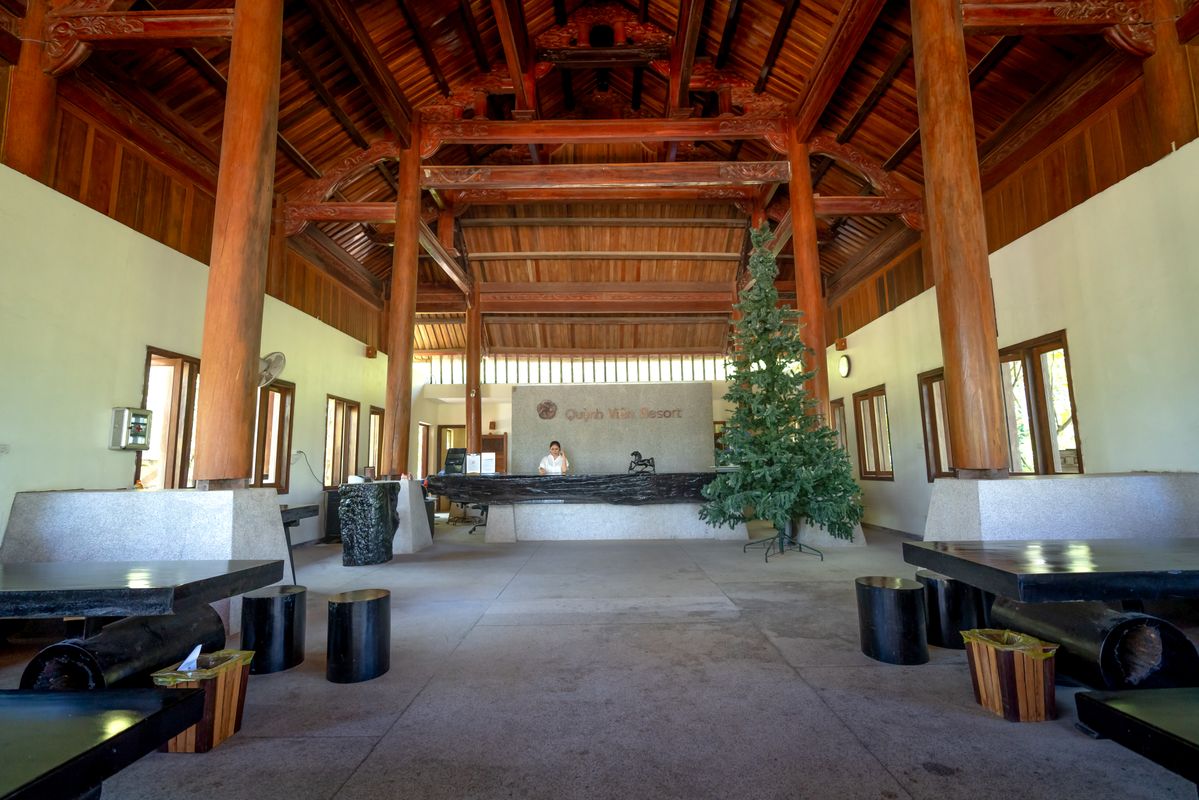
This is your first impression. Use these displays for personalized welcome messages (great for groups and weddings), local weather and time, transportation info, and the property's daily highlights. A clean, brand-consistent lobby display tells the guest immediately that this property is well-run.
Elevators and Corridors
Wayfinding belongs here — floor maps, conference room directions, amenity hours. These are also the right spots for short-form promotional content because guests have a moment to read while they're moving between spaces.
Restaurant and Bar
Digital menu boards are one of the strongest ROI plays in hospitality. You can change menus by daypart (breakfast at 6am, lunch at 11am, dinner at 5pm) automatically, run happy hour promotions without printing new tent cards, and update pricing instantly when food costs shift. Hotels running digital menu boards consistently see higher beverage and dessert attach rates.
Meeting and Event Spaces
Outside conference room doors, digital signs should show the room name, the current meeting, the next meeting, and any sponsor branding. Integrate with your event management system and the signs update themselves — no more printed door tents that go straight to the recycling bin.
Fitness Centers, Pools, and Amenity Spaces
Hours, class schedules, safety information, and gentle upsells (spa packages, sunset cruises, in-room dining) all belong here. Amenity spaces are where guests are most relaxed and most receptive to promotional content.
How to Plan a Multi-Property Rollout
The biggest mistake we see at this stage is treating every property as a one-off project. The right approach is to build templates and content libraries once, then deploy them everywhere.
Step 1: Pick a Pilot Property
Start with one location — ideally one of your busier ones with engaged staff. Get the hardware right, build out 8–12 core templates (welcome screen, menu board, event directory, weather, promotions), and run it for 30 days. Track what works.
Step 2: Build a Brand-Locked Template Library
Once your pilot is humming, lock the templates so individual properties can update content (today's menu, today's events) but not design (fonts, colors, layouts). This is how you preserve brand consistency at scale. With truDigital's library of 500+ templates and apps, most hotel operators can find pre-built starting points for menu boards, wayfinding, weather widgets, and event displays — then customize them to match brand standards.
Step 3: Standardize Hardware Before Expansion
Before you roll out to property #2, lock down your hardware spec: screen size, mounting, media player, network requirements. Document it. Every new property uses the same spec. This is what makes the difference between "we have signage at all our hotels" and "we have a signage system across all our hotels."
Step 4: Train One Person Per Property, Not Everyone
Designate a signage champion at each location — usually the front office manager or operations lead. They get trained, they own local content updates within the guardrails of the template library, and they call your central team for anything outside that. This keeps quality high without making signage a corporate-only function.
What to Look For in a Hotel Signage Platform
Not every digital signage platform is built for multi-property hospitality. Here's what matters when you're scaling:
- Cloud-based content management. You need to push updates to any property from anywhere. Look for a true cloud signage platform, not a server you have to maintain.
- User permissions and groups. Property managers should see only their property. Regional managers should see their region. Corporate should see everything. If the platform can't model your org chart, it'll cause headaches every time someone joins or leaves.
- Template enforcement. Can you lock the design while letting locations edit content? Critical for brand consistency.
- Dayparting and scheduling. Menus, promotions, and event content should switch automatically by time of day, day of week, and date.
- US-based support. When a screen in your Tampa property goes dark on a Saturday night, you need a real human on the phone — not a ticket queue. truDigital offers unlimited US-based support, which matters more than any feature when something breaks at 9pm on a holiday weekend.
- Integrations. Your event management system, PMS, weather feeds, and social media should all flow into your displays automatically.
Real-World Example: Scaling Across a Hotel Portfolio
One of our recent enterprise rollouts was with KOA, who needed centralized template coding and migration to standardize signage across their property network. The challenge wasn't the technology — it was building a system that let individual property managers update local content (campground events, weather, today's activities) without the ability to break brand standards. We solved that with a tiered template library, regional permissions, and bulk publishing tools. The result: a property can stand up new digital signage in a day, not a quarter, and corporate gets back the brand consistency that's nearly impossible to maintain with paper.
The lesson applies whether you operate three boutique hotels or three hundred franchise properties: the platform should make it easier to add the next property, not harder. If onboarding location #10 takes longer than location #2, your system isn't built for scale.
Common Mistakes to Avoid
- Buying TVs before picking a platform. Hardware should follow software. Pick your CMS first, then buy screens that work with it.
- Letting every property design its own content. Within 18 months you'll have six brands instead of one.
- Skimping on network. Digital signage needs reliable internet. Cheap consumer routers in a back office are a false economy.
- Ignoring the guest perspective. Walk every property as a first-time guest. If a screen confuses you, it'll confuse them.
Ready to Build a Signage System That Scales?
Hotel digital signage isn't a hardware purchase — it's an operational system. The right platform turns every new property into a faster, lower-cost rollout instead of a fresh headache. With truDigital, multi-location hotel operators get cloud-based content management, 500+ templates and apps, granular multi-location permissions, and unlimited US-based support to back you up when something goes sideways at midnight.
If you're planning your next two, five, or twenty properties, let's talk about how to build the signage layer to support it. Request a demo and we'll walk through a rollout plan tailored to your portfolio.
See it in Action
Get a free, no-pressure demo of our unique platform and find out how it can transform your business.