Restaurant Digital Signage: A Small Owner's Starter Guide
Restaurant digital signage built for one-location owners. See costs, menu board ideas, and a smart rollout to launch on a tight budget.
The first time a guest walks into your restaurant, they make ten micro-decisions in the first thirty seconds. Where to look. Whether to sit at the bar or wait for a table. What to order. Whether tonight is a beer night or a cocktail night. The piece of your dining room doing the heavy lifting on every one of those decisions is your signage — and if it's still a chalkboard with last week's specials half-erased, you're leaving money and momentum on the table.
For a single-location owner working with a small marketing budget, restaurant digital signage is one of the highest-leverage upgrades available. It replaces a stack of printed materials, modernizes the room without a renovation, and quietly sells the high-margin items you actually want to move. And contrary to what most enterprise pitches imply, you do not need a national-chain budget to do it well.
Why Restaurant Digital Signage Pays for Itself
Independent operators usually justify a signage upgrade with one of three numbers: higher check averages from better featured-item promotion, lower print spend from killing one-off poster runs, or a measurable bump in repeat visits from communicating events and specials. In practice, most first-time buyers see all three within the first quarter.
Static menus and printed table tents have one fundamental flaw — they are frozen the moment the printer hands them back. Digital menu boards update in seconds. When you 86 the salmon at 7pm, your menu doesn't need to lie to the next sixty guests. When a new cocktail lands on Thursday, it's live by Thursday lunch. And when a slow Tuesday calls for a half-price appetizer hour, you launch the promotion at 4pm and shut it off at 6pm without printing a thing.
The Hidden Costs of Static Signage
Printed menus look cheap until you add them up. A single-location restaurant with seasonal menus typically reprints four to six times a year. Add table tents, drink lists, daily specials, hours-of-operation signs, and the laminated wait-list rules, and most owners are spending several thousand dollars annually on materials that are out of date within months. None of that includes the staff time spent swapping them out.
One digital screen with a good content management system handles all of that work — and keeps working without anyone walking the floor with a Sharpie.
The Realistic Budget for a Single-Location Restaurant
Here is the part nobody publishes clearly. A practical digital signage rollout for a small restaurant or bar usually has three line items: the displays, the media players that drive them, and the software subscription that lets you control everything from your phone.
For a two-to-four screen setup — a menu board behind the bar, a featured-items screen in the lobby, and maybe a specials display in the dining room — most independent operators invest a few hundred dollars per screen in commercial-grade hardware, plus a flat monthly software fee that costs less than a single dinner check for a party of four. There are no per-template charges, no premium app fees, and no surprise upgrades when you want to add a second screen.
What you should not pay for: per-design fees, capped device counts, lock-in contracts with consumer-grade hardware, or international support queues with multi-day response times. A platform built for small businesses includes templates, updates, and US-based human support as standard.
What Actually Belongs on a Digital Menu Board
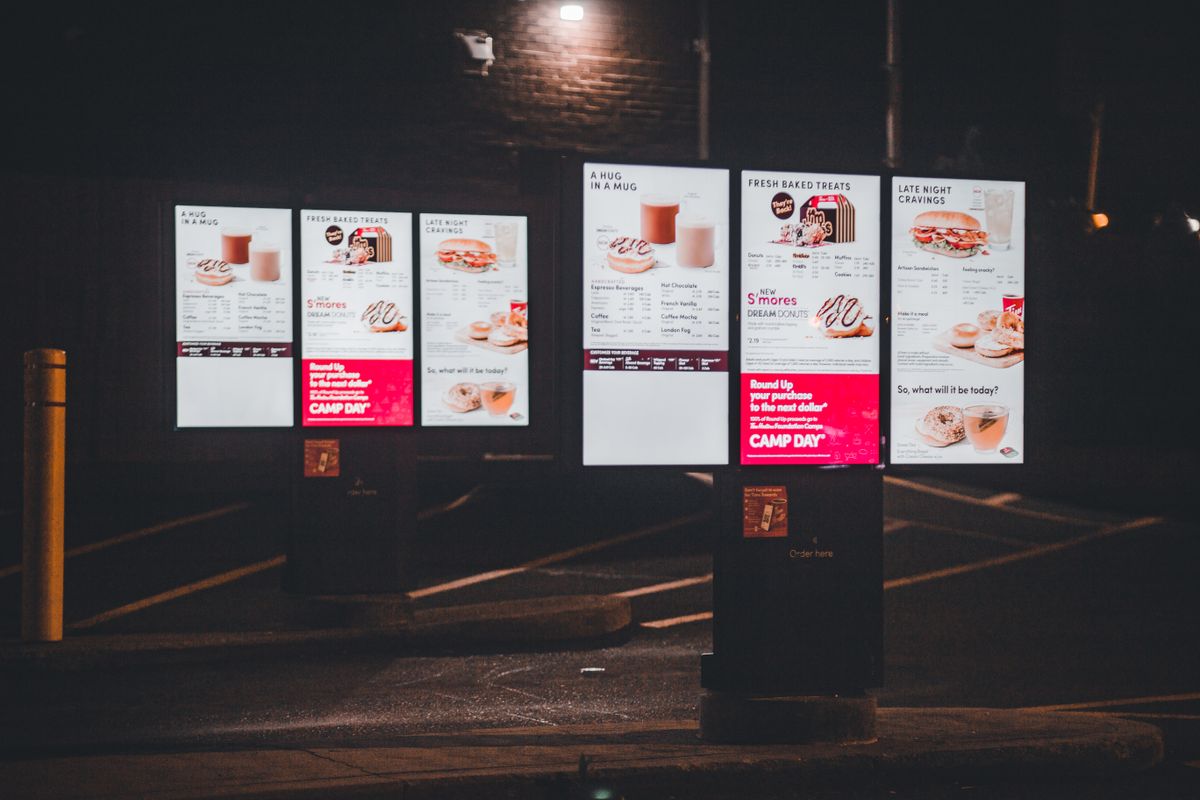
The most common mistake first-time buyers make is treating a digital menu board like a static menu that happens to glow. The whole point of going digital is that the content can adapt to the moment. The screens that earn their keep blend four content categories:
- Core menu — clean typography, clear pricing, easy-to-read sections so guests order faster and staff field fewer questions.
- Day-part rotations — brunch from 9 to 2, happy hour from 4 to 6, dinner from 6 to close — all switching automatically without anyone touching the screen.
- Featured high-margin items — the cocktail your bar manager wants to push, the appetizer with the best food cost, the dessert that turns a $40 ticket into a $55 ticket.
- Atmosphere and brand — looping b-roll of the kitchen, a photo of the farm you source from, the chef's bio, or a quiet acknowledgment of the neighborhood you call home.
Resist the urge to fill every pixel with a promotion. The best digital signage for bars and restaurants alternates sell content with story content. Guests tune out advertising-heavy loops fast, but they will read about the dive bar's twenty-year history while they wait for a table.
What to Look for in a Restaurant Signage Platform
The platform decision matters more than the hardware. The right software lets you start with one screen, scale to a second location someday, and never feel like you've outgrown your tools. Four things to look for.
Cloud-Based Content Management
You should be able to update a menu board from your phone in the parking lot before lunch service. A cloud-based CMS means no on-site server, no IT visit, no software installs. truDigital's platform was built this way by default — log in, swap a price, schedule a holiday hours notice, and it's live across every screen.
Templates and Apps That Save Time
You did not open a restaurant to become a graphic designer. Look for a platform with a deep library of templates and apps specifically designed for hospitality — menu layouts, drink boards, daily specials, social feeds, weather widgets, and event calendars. truDigital ships 500+ templates and apps so a polished screen is a one-evening project, not a one-month project. Browse what is possible on the truDigital features page.
Room to Grow
Even if you are a single-location operator today, choose a platform that handles multi-location management out of the box. The day you open a second concept, or a second location of the same concept, you do not want to be migrating data or retraining staff on a new vendor.
Real Human Support
Unlimited US-based support is not a luxury for a first-time buyer; it is the safety net that makes the system actually usable on a busy Saturday night. When a screen goes black mid-service, the difference between an hour of black and a week of black is a human picking up the phone. Test it before you buy — call the sales line and see how quickly a real person answers.
A Practical 30-Day Rollout for a First-Time Buyer
The biggest pitfall is trying to do everything in week one. Treat the rollout like onboarding a new line cook — phased, deliberate, measured.
Week 1. Install your first screen behind the bar or above the order counter. Build a single, beautiful version of your core menu and let it run. Watch how staff react. Note which questions guests stop asking.
Week 2. Add day-part rotations. Brunch menu in the morning, lunch in the middle, happy hour in the afternoon, dinner in the evening. The screen now does work that used to require flipping a board manually.
Week 3. Add featured items and promotions. Push the high-margin cocktail. Highlight the dessert that lifts ticket averages. Track which items get the most pickup at the table.
Week 4. Layer in atmosphere — chef bio, neighborhood photos, the story behind the building. Build a simple content calendar so updates happen on a rhythm. By the end of month one, you should have a system that runs itself with about fifteen minutes of attention per week.
Operators in adjacent industries follow the same phased pattern — see how budget-conscious gym owners rolled out their first screens for a parallel playbook with the same rhythm.
Mistakes That Catch First-Time Restaurant Buyers
Three pitfalls show up over and over. First, owners use consumer-grade smart TVs without a proper media player — and the screens lock up, push pop-ups, or update themselves in the middle of dinner rush. A small dedicated signage player is cheap insurance. Second, owners cram the screen full of content. Three to five pieces on the loop, each on screen for eight to fifteen seconds, beats a busy cluttered design every time. Third, owners skip the offline plan — what plays when your Wi-Fi drops? A good platform handles offline playback automatically, so a fiber outage doesn't blank your menu in front of a dining room.
The Bottom Line for Independent Restaurant and Bar Owners
For a single-location restaurant or bar owner who has never invested in digital signage before, the upgrade is not about flash. It is about removing friction, freeing up labor, and giving the room a quiet salesperson that never calls in sick. Fewer printed menus. Faster updates. Higher attach rates on the items you actually want to sell. And a dining room that looks intentional from the moment a guest walks in.
If you want to see what a budget-friendly restaurant digital signage system actually looks like in action — including the menu templates, day-part scheduling, and small-business pricing designed for operators exactly your size — request a free truDigital demo. A real human will walk you through the platform, answer your questions, and show you exactly how a single screen can pay for itself in your first quarter.
See it in Action
Get a free, no-pressure demo of our unique platform and find out how it can transform your business.